Covering 634,000 square feet of warehouse with wall-to-wall WiFi, and no more dead zones for the scanners
A logistics warehouse needed reliable coverage across nearly 15 acres under roof, so handheld scanners and PDAs would never drop connection mid-pick. Here's how we designed and installed a fiber-backed Ubiquiti network to deliver 100% coverage.
The problem with WiFi in a warehouse this size
At 634,000 square feet, this facility is large enough that no single access point, or even a handful of them, could ever cover it. Warehouses present a uniquely difficult RF environment: tall steel racking that blocks and reflects signal, metal building shells that create interference pockets, and constantly moving forklifts and inventory that change the environment day to day. Add in the fact that pickers rely on handheld PDAs and scanners that need a rock-solid connection to keep orders moving, and a dropped signal isn't just an inconvenience, it's a line stoppage.
Getting this right isn't about scattering access points around and hoping for the best. It takes a proper site survey, a wired backbone that can actually move the traffic those access points generate, and hardware built to cover long, open spans without interference.
A fiber backbone built to actually carry the load
Every access point in a building this size is only as good as the network behind it. Instead of daisy-chaining switches or relying on long copper runs that can't span the building, we ran 50/125 OM3 fiber as dedicated homeruns from each IDF (intermediate distribution frame) back to the MDF (main distribution frame), landing on a Ubiquiti Aggregation Switch. OM3 multimode fiber is rated for the higher-bandwidth, longer-distance backbone runs a facility like this needs, well beyond what copper can reliably carry across a building this size.
At each IDF, we installed either a 24-port or 48-port PoE Max switch, sized to the number of access points and cameras in that zone. These switches deliver both data and power to every access point over a single cable, so there's no separate power run needed at each mounting location. From the IDF out to each access point and networked device, we used CAT6, kept within the 100-meter maximum run length that copper Ethernet requires to perform reliably, and routed and shielded away from ballasts, motors, and other electrically noisy equipment that can otherwise degrade a copper signal over distance.
Why the U6 Pro for the warehouse floor
For access points, we chose the Ubiquiti U6 Pro, a WiFi 6 access point built for exactly this kind of high-density, wide-open industrial space. WiFi 6 handles a much higher number of connected devices per access point without the network slowing down, which matters in a warehouse running dozens of scanners, PDAs, and other connected equipment at once. We placed 46 U6 Pro access points throughout the facility, positioned and spaced according to the site survey to overlap coverage across aisles, racking, and dock areas so no PDA ever walks into a dead zone mid-scan.
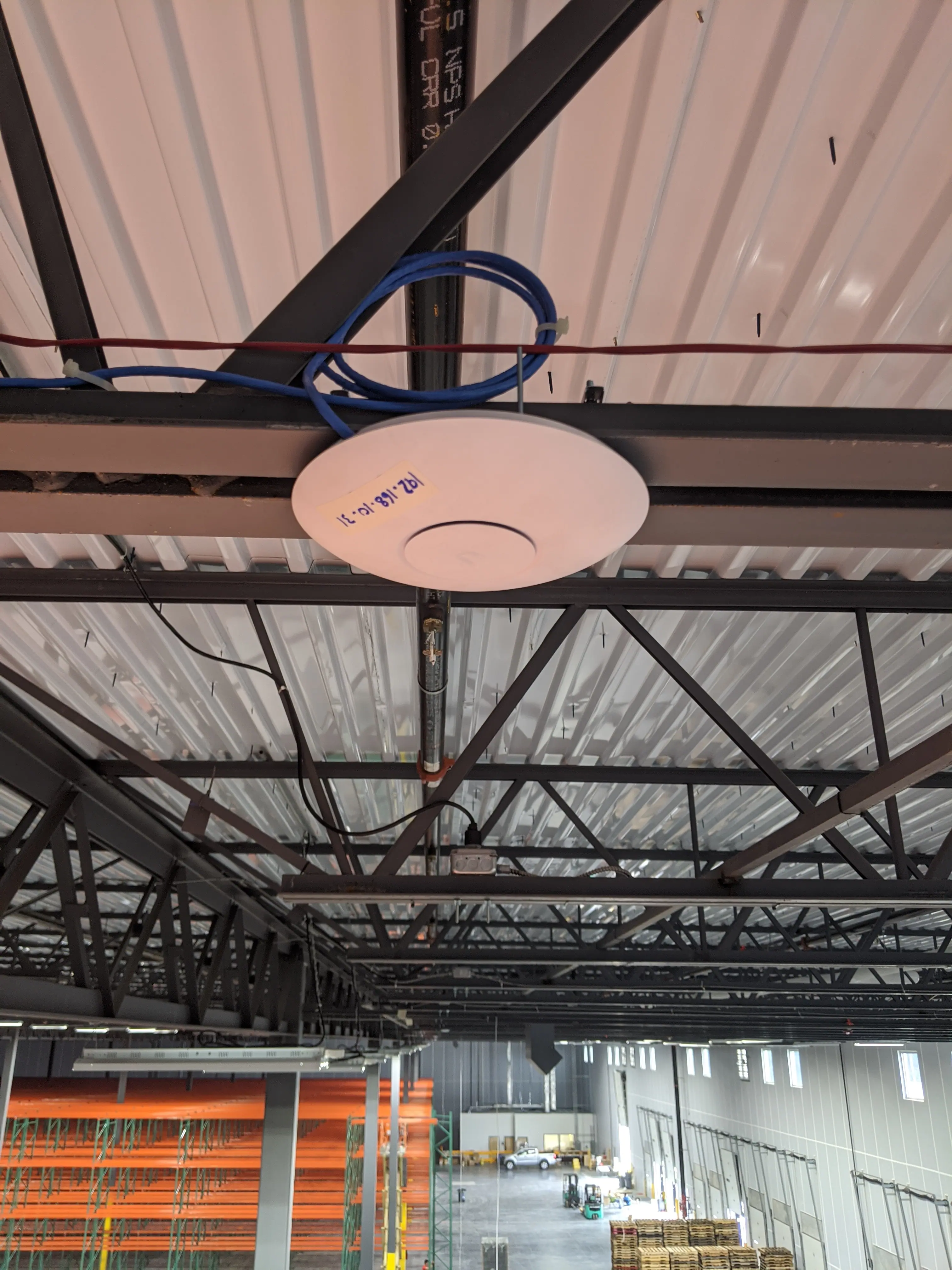
A Ubiquiti U6 Pro access point mounted to the roof structure above the warehouse floor, fed by CAT6 run from its IDF switch.
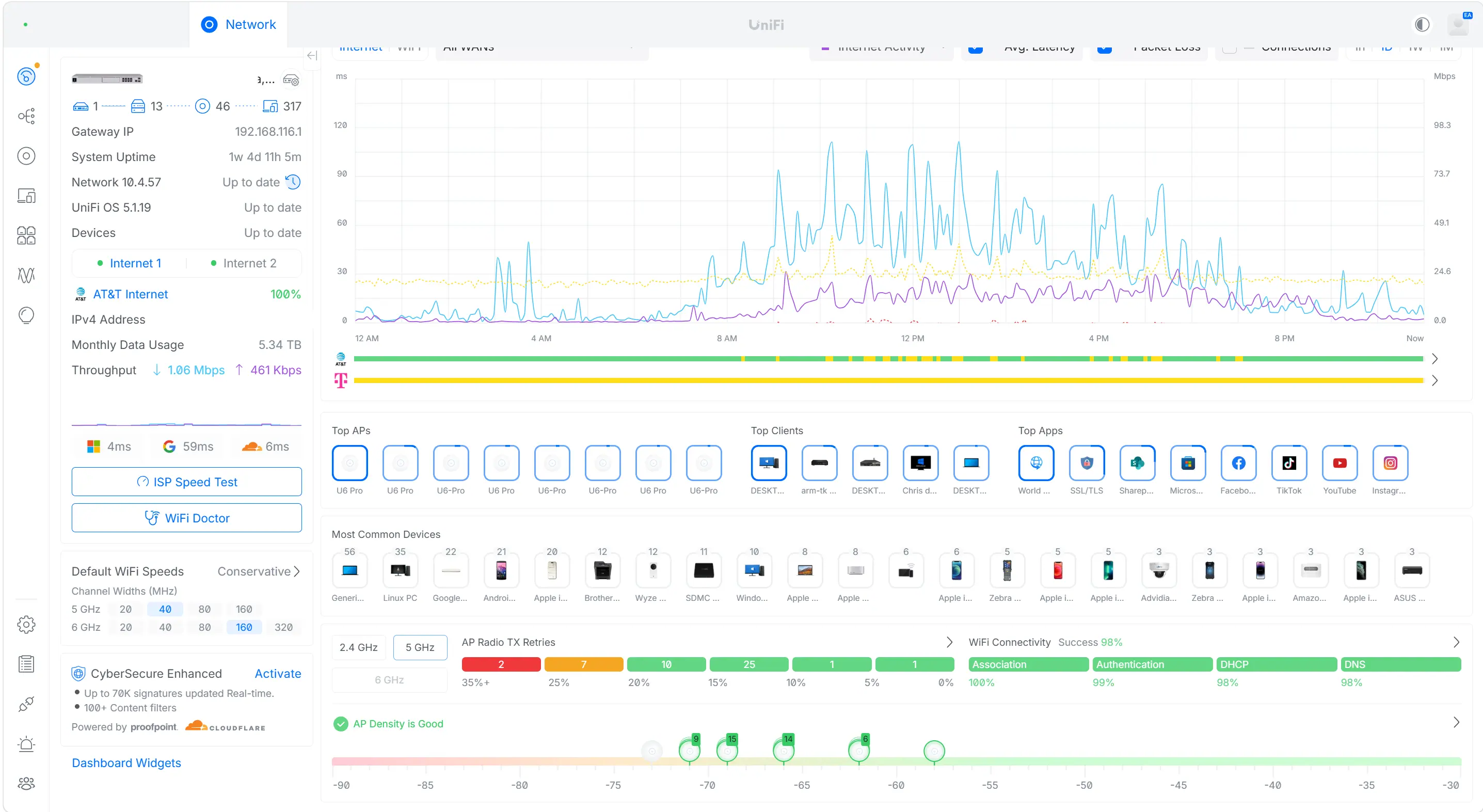
The UniFi Network dashboard for this deployment: 46 access points and 317 connected devices online, with real-time visibility into every switch, client, and application on the network.
Survey before, survey after
Before any equipment went in, we conducted a full wireless site survey to map existing RF conditions across the facility, including identifying noisy or congested channels that would interfere with a new deployment. That survey directly informed access point placement and channel planning. After installation, we ran a second survey to verify the design held up in the real environment, confirming continuous coverage throughout the warehouse floor with no gaps between access points. Surveying twice, not just once, is what actually proves a network performs the way it was designed to, rather than just assuming it does.
Backed by Ubiquiti-certified expertise
Our technicians hold Ubiquiti's UNS (UniFi Network Specialist) certification, meaning this installation was designed and deployed by people trained specifically on the UniFi ecosystem, not general-purpose networking gear repurposed for the job. That matters when a network this size needs to work exactly right the first time, not after a few rounds of troubleshooting once it's live.